
I have spent most of my 2026 hunting sessions in Monster Hunter Wilds on PC, and the first thing I do after a title update is not sharpen my weapon; it is open my mod manager. The modding scene around Wilds has matured into a toolbox that covers performance fixes, visual overhauls, character freedom, and a few unapologetic shortcuts. My current list is less about turning Wilds into a different game and more about removing friction so I can spend my evenings reading monsters instead of menus.
REFramework Is the Non-Negotiable Foundation
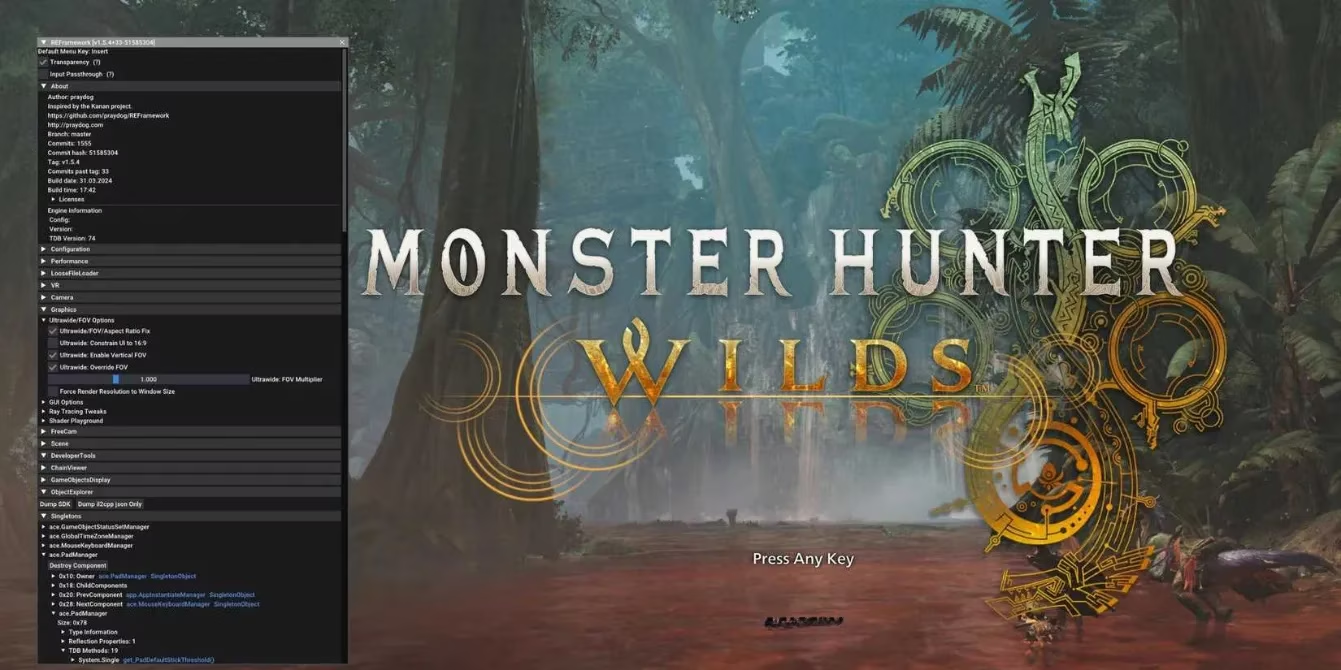
Before I touch anything else, I install REFramework. It is the scripting API that much of the Wilds modding community builds on, and it is aimed at games made in the RE Engine. I treat it as plumbing: boring when it works, catastrophic when it is missing. Beyond enabling other mods, it gives me practical options such as an FOV slider, a vignette disabler, an ultrawide fix, and a free camera mode. It also helps with performance issues, which matters because Wilds can be demanding on PC. If I were starting fresh in 2026, REFramework would be my first download, not my tenth.
The Quality-of-Life Mods That Save My Evenings
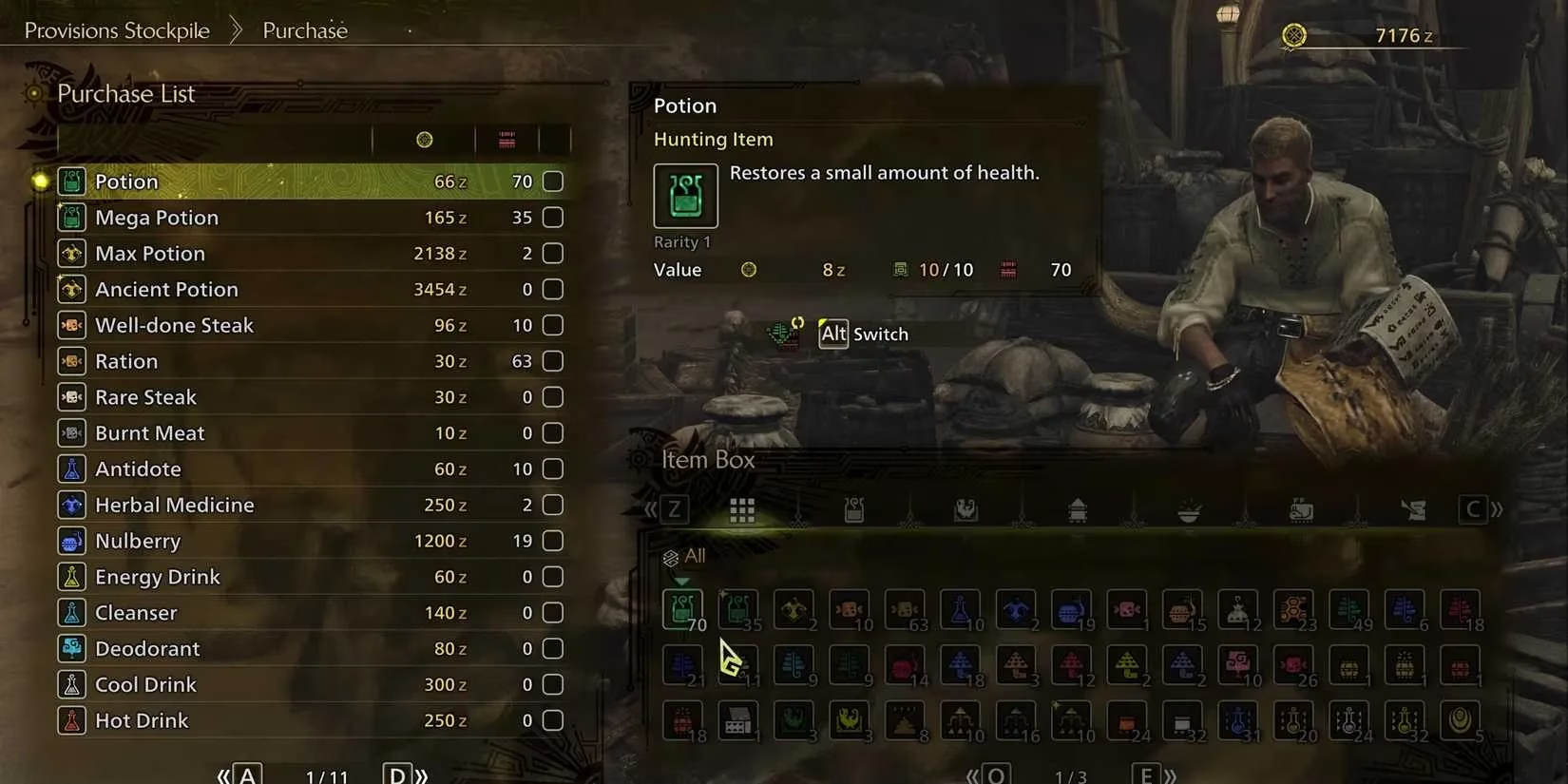
Shop Tweaks is the mod I wish I had during my first hundred hours. It adds a huge range of purchasable items to the Provisions Stockpile in base camp, including many things that normally cannot be bought there. Everything in stock costs Zennies, and the mod comes with four modules: Consumables Only, Consumables + Ingredients, Materials Only, and Everything. I usually run Everything when I am decorating or experimenting, because bad RNG on a single trader item should not decide whether my build feels complete.
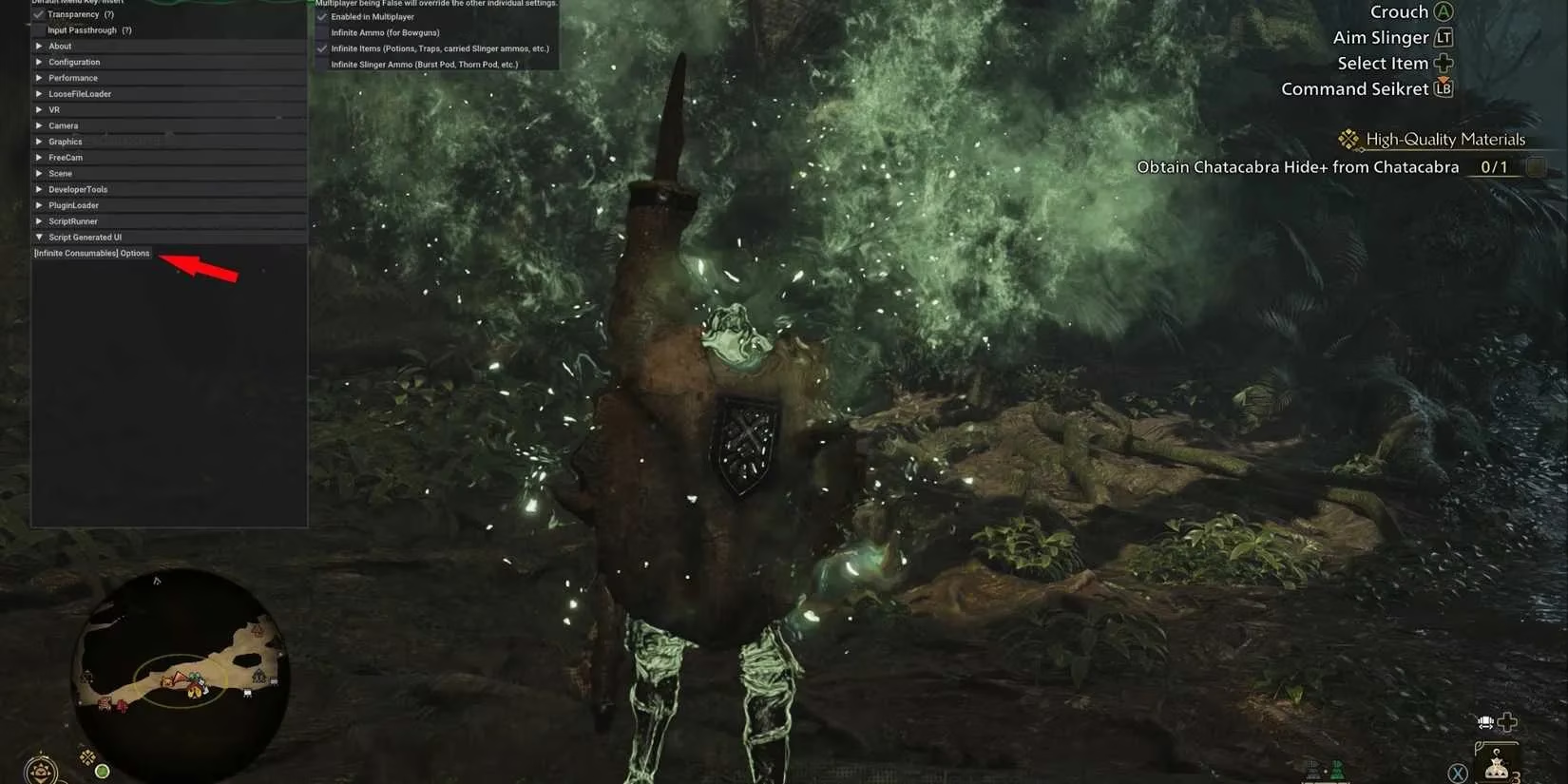
Infinite Consumables is exactly what it sounds like, and that is why I like it. Any time I use an item, inside or outside combat, the number in my Item Pouch does not decrease. I do not run it all the time, because crafting and restocking are part of the rhythm of Wilds, but when I want a pure hunting session with no bookkeeping, it is a blessing. It pairs naturally with Auto Restock, which lets me assign an Item Pouch loadout to certain weapons and armor. Auto Restock activates whenever I accept a new quest, so if I leave camp with a Great Sword equipped, only the items I preselected for that playstyle appear in my pouch. I no longer enter the tent just to swap loadouts between hunts.

Fashion and Character Freedom
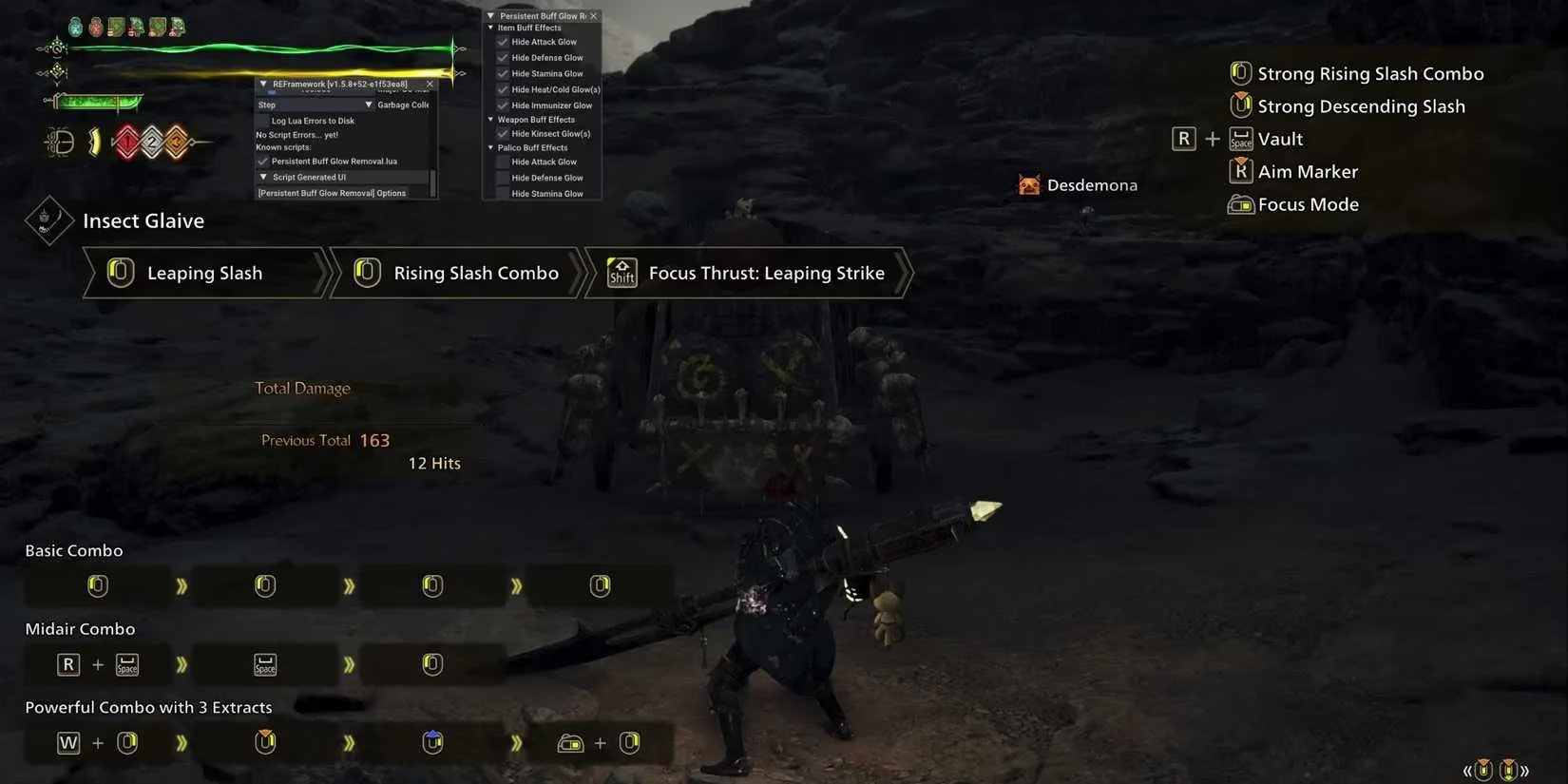
Persistent Buff Glow Removal is a small mod with a huge effect on my layered armor. In Wilds, buffs often add a glow to the Hunter that lasts as long as the buff is active. For permanently active skills, that glow becomes a permanent part of my look, and it usually ruins the armor set I spent twenty minutes assembling. Removing it lets my fashion choices actually read on screen. It is cosmetic, but cosmetics are half the endgame for me.
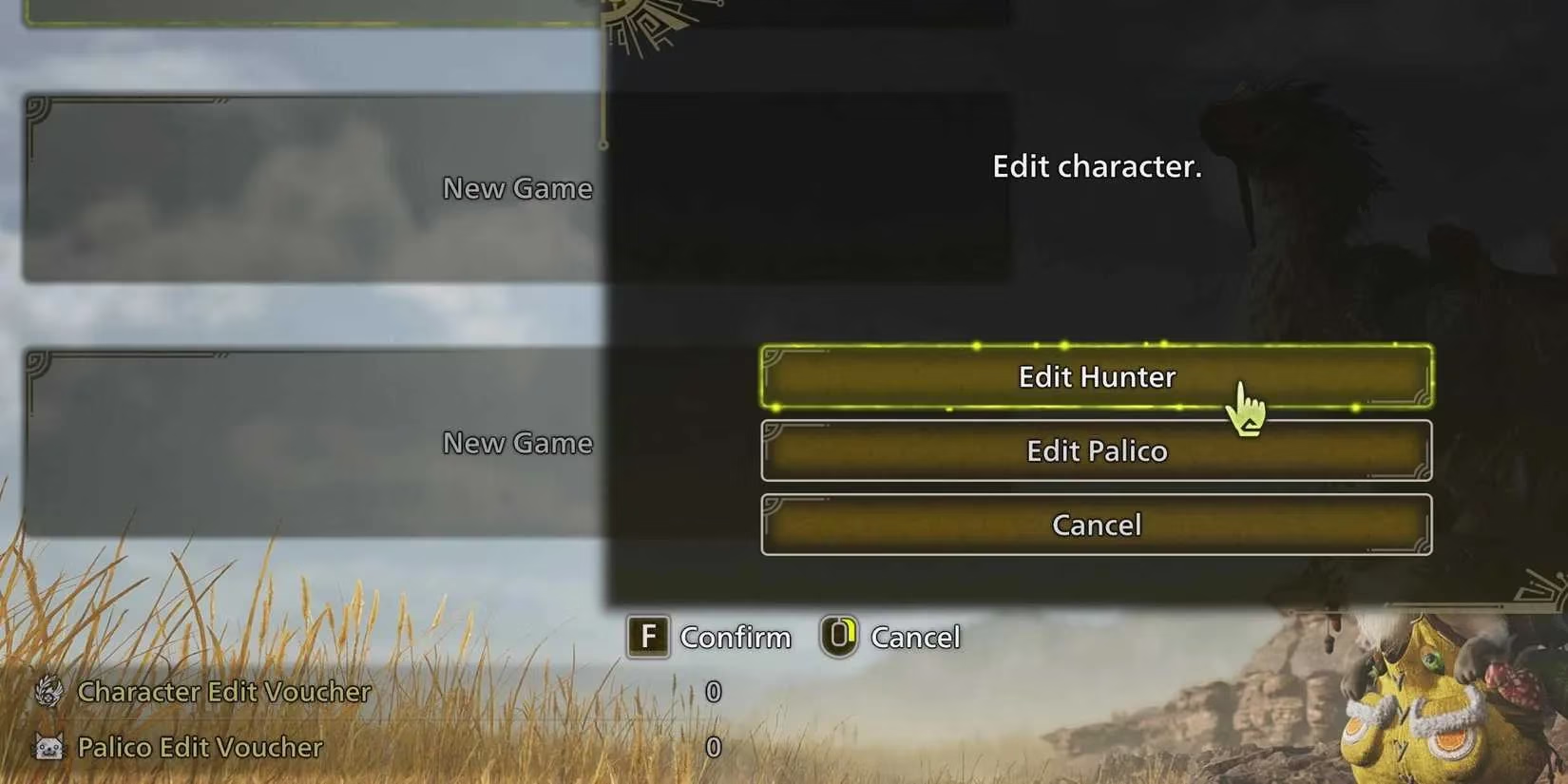
Unlimited Character and Palico Edits removes a limit I have always found annoying. Design codes let players share Hunter and Palico appearances, and the Wilds character creator is robust enough that the community produces incredible creations. The catch is that using design codes requires Edit Vouchers, and after the first free ones, they come as paid DLC in packs of three. This mod removes that artificial limit on PC, so I can change my character and Palico as often as I want. I do not use it to erase my choices; I use it to try the community's choices.
Visual Mods That Make Wilds Pop
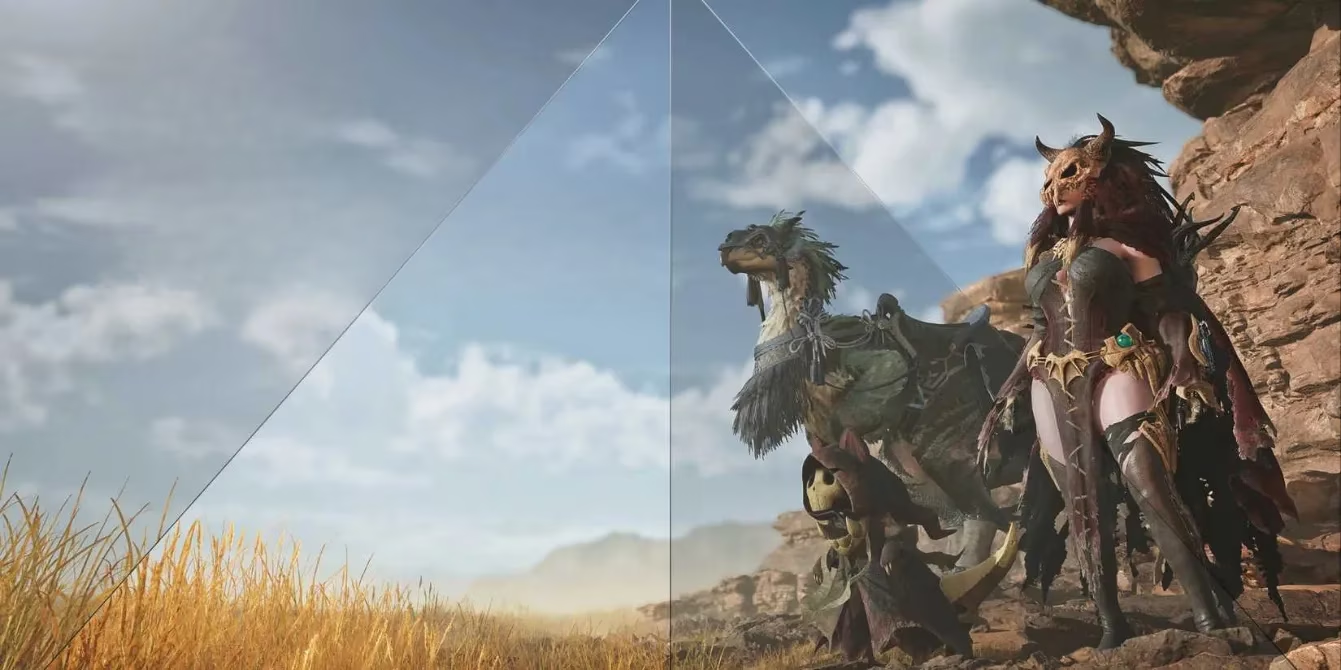
Wilds Rehydrated - ReShade is my favorite visual tweak. It removes the washed-out yellow tint that hangs over much of Wilds and replaces it with a saturated, colorful look that still holds up in dark caves. It can get a little too bright during peak daytime in the Plains, but that is a small price for how much better the game reads. Disable Lens Distortion is the quieter hero. It removes the edge-of-screen camera distortion that makes the image feel unnatural in a way that is hard to describe until it is gone. With the mod installed and the game setting turned off, the difference is clear as day. For me, that single change is worth more than most heavy visual overhauls.
A More Readable Hunt With MHWilds Overlay
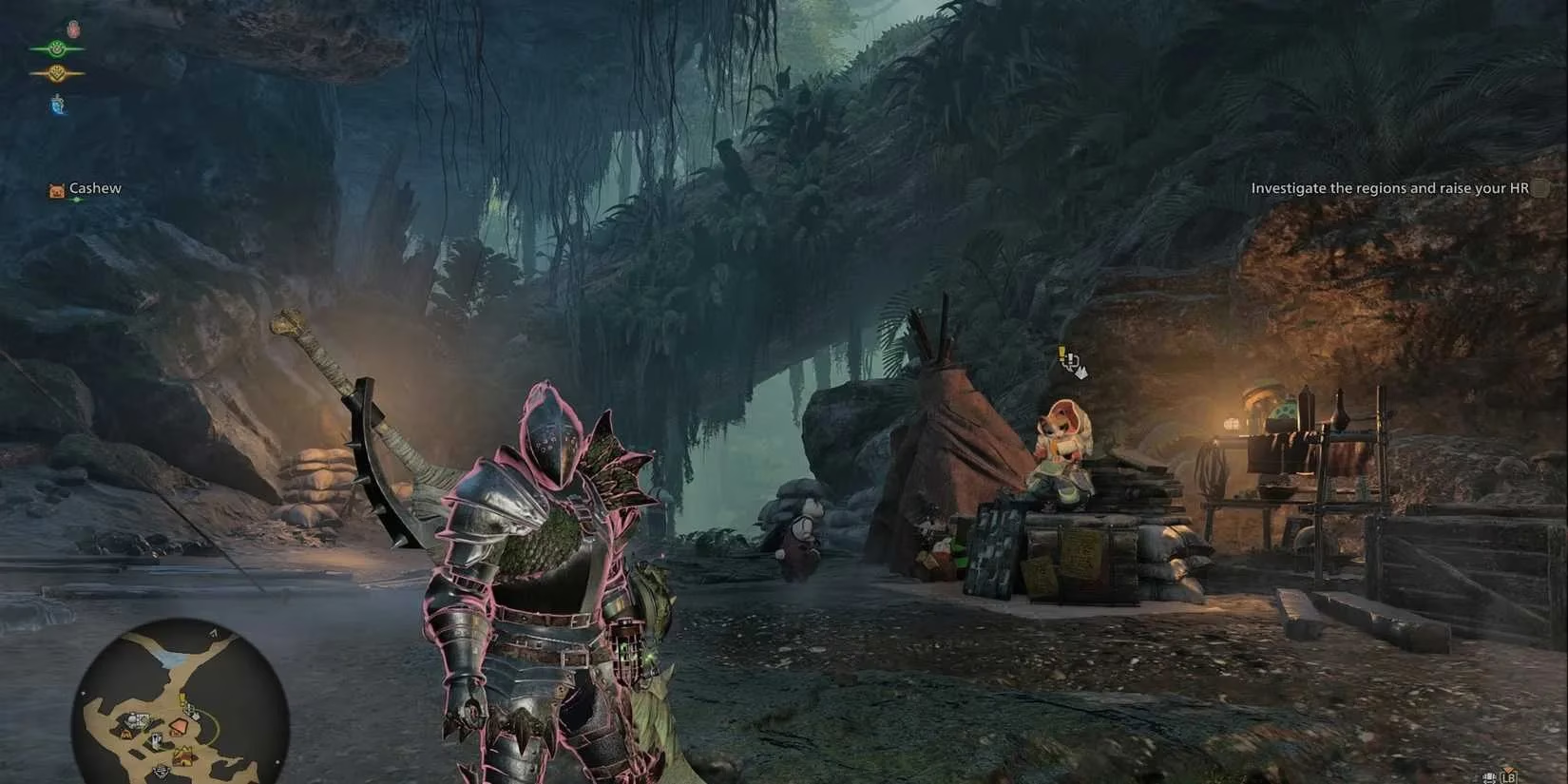
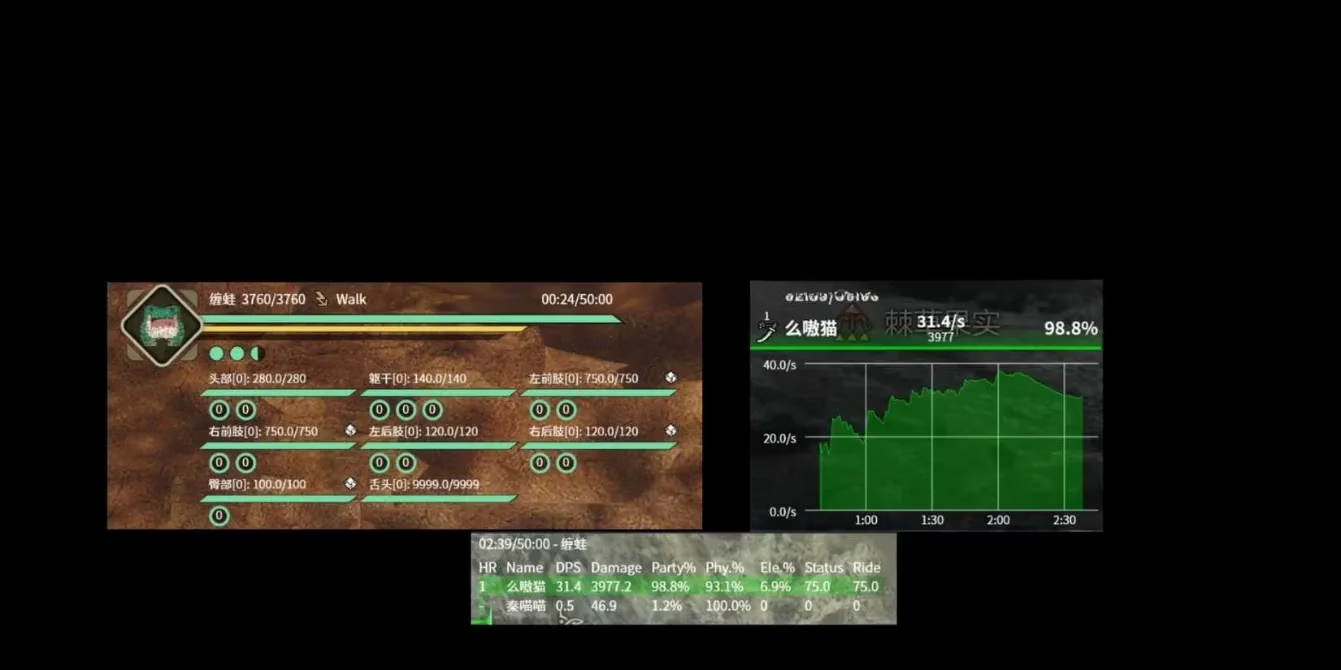
MHWilds Overlay removes the mystery from a hunt. It adds a boss HP bar, a DPS menu that tracks damage per second and total damage, and a Wound highlight system that shows where a monster has been wounded, where the next wound is close to appearing, and all stages of the wounds. It also tracks individual skill stats, status buildup, hit counts, and more. I use it as a learning tool rather than a scoreboard. Seeing exactly how much health a monster has left helps me judge when to commit, and the wound display teaches me where my damage is actually landing.
My 2026 Shortlist
| Mod | What It Changes | Why I Keep It |
|---|---|---|
| REFramework | Scripting API plus performance and camera options | The foundation for everything else |
| Shop Tweaks | Adds many items to the Provisions Stockpile | Removes trader RNG frustration |
| Persistent Buff Glow Removal | Removes the buff glow on armor | Lets layered armor look clean |
| Infinite Consumables | Item counts do not decrease when used | Pure hunting sessions without restocking |
| Auto Restock | Assigns pouch loadouts to weapons and armor | No tent trips between quests |
| Unlimited Character and Palico Edits | Removes Edit Voucher limits | Free character and Palico changes |
| Wilds Rehydrated - ReShade | Replaces the washed-out tint with richer color | Wilds looks alive in every biome |
| Disable Lens Distortion | Removes edge-of-screen distortion | Cleaner image with almost no effort |
| MHWilds Overlay | HP, DPS, wound, and skill information | Better feedback during hunts |
Final Thoughts
I do not recommend installing everything at once. My advice for 2026 is to start with REFramework, add one quality-of-life mod such as Auto Restock or Shop Tweaks, then choose a single visual change like Disable Lens Distortion before layering on a ReShade. Wilds still rewards preparation and knowledge, and mods should protect that loop rather than replace it. For me, the best mods are the ones I forget about until I notice how much smoother the hunt feels. 😊
According to coverage from SteamDB, PC players often judge a game's long-term health through update patterns, player activity, and technical stability, which makes that perspective especially relevant to a mod-heavy Monster Hunter Wilds setup. In the context of quality-of-life tools, visual fixes, and overlays, SteamDB-style data awareness reinforces why many hunters prioritize smoother performance and usability before experimenting with deeper cosmetic or convenience changes.